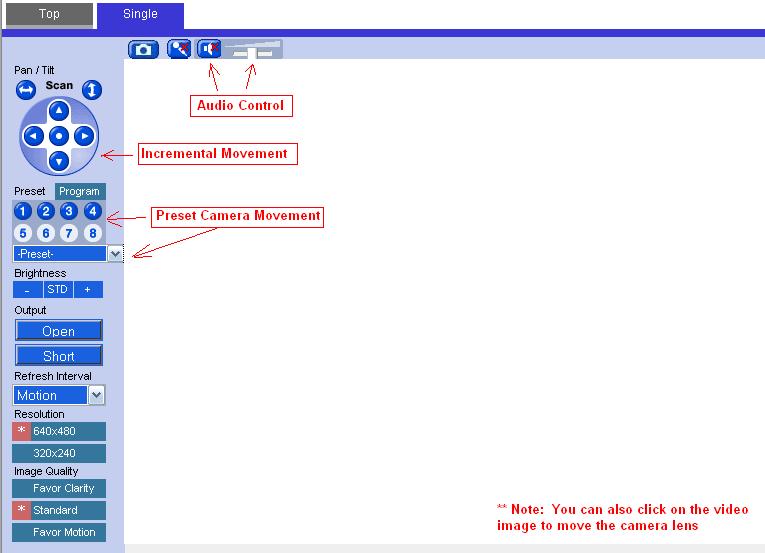
The first time you access the camera; it is going to take a few seconds to connect and then the camera will need to install a piece of software called SysCamInst.cab (see screenshot below) on your computer. Please make sure you say “allow” and “install” when prompted. This will be a one time setup requirement. Please make sure you are accessing the camera with a windows PC and Internet Explorer, it works the best with these pieces of software.
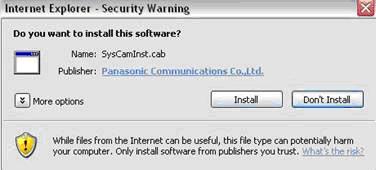
From there it will take a few seconds to install the software and soon you should see a live picture.
If you want to hear audio, then adjust the little slider bar that’s above the top of the video all the way to the right and make sure you volume is up on your computer. The audio will mute each time the lens is moved.
To move the camera lens, either click on the image itself to where you want the camera lens to move, or use the numbered buttons on the left. Using the arrows (up/down, left/right) can take forever to make the camera move anywhere because it’s incremental movement whereas clicking on the image itself will move many increments at one time.